
XCELLERATOR


Xcellerator is an installable application developed for all levels of spreadsheet user. By combining powerful error detection and investigative capabilities to effectively analyze spreadsheets, Xcellerator significantly reduces material errors and possible fraud as well as the hours associated with detailed reviewing of spreadsheets.
Xcellerator’s sophisticated logic is completely independent of the spreadsheet application (e.g., Microsoft Office Excel or Google Spreadsheets). This logic delivers higher-level functionality and unprecedented accuracy. Unlike other spreadsheet error detection applications, Xcellerator and Excel appear as one to the user and the integrity of the spreadsheet application is always maintained.
The strength of Xcellerator lies in the extensive tests it produces, ranging from formula errors and risks in cell accuracy to hidden errors and external references. Because Xcellerator delivers fast results and superior accuracy, spreadsheet reviewers can eliminate hours of laborious manual checking and management can be confident that material errors and possible fraud are avoided.
- Quickly and easily scan your entire spreadsheet or individual worksheets for inconsistencies and errors
- Find all hidden data in a workbook, with just one click
- Understand the errors found with straightforward, on-screen help
- Easily select error-finding tests to match your preferred workflow
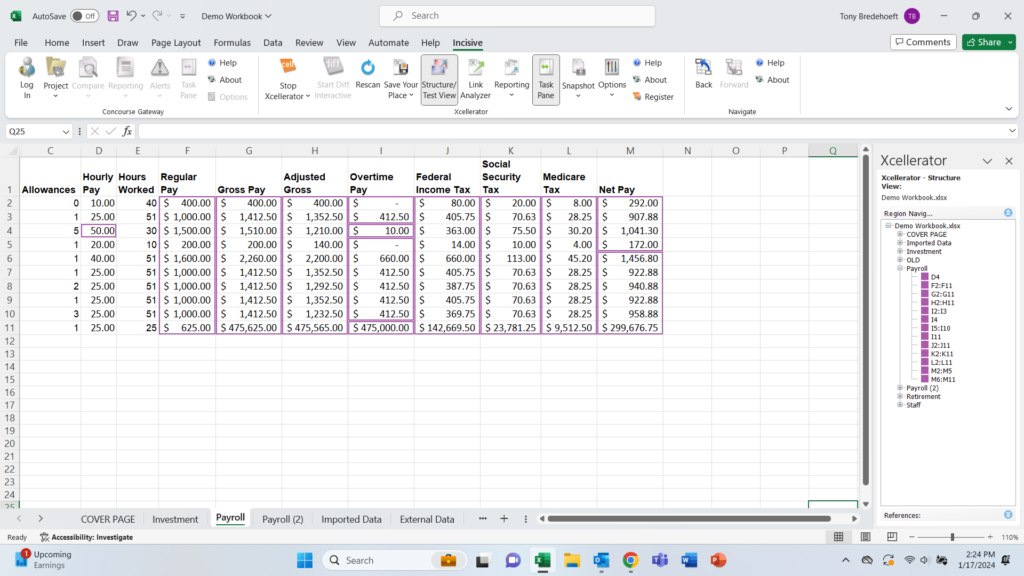
- Switch to the Structure View to further investigate the formulas
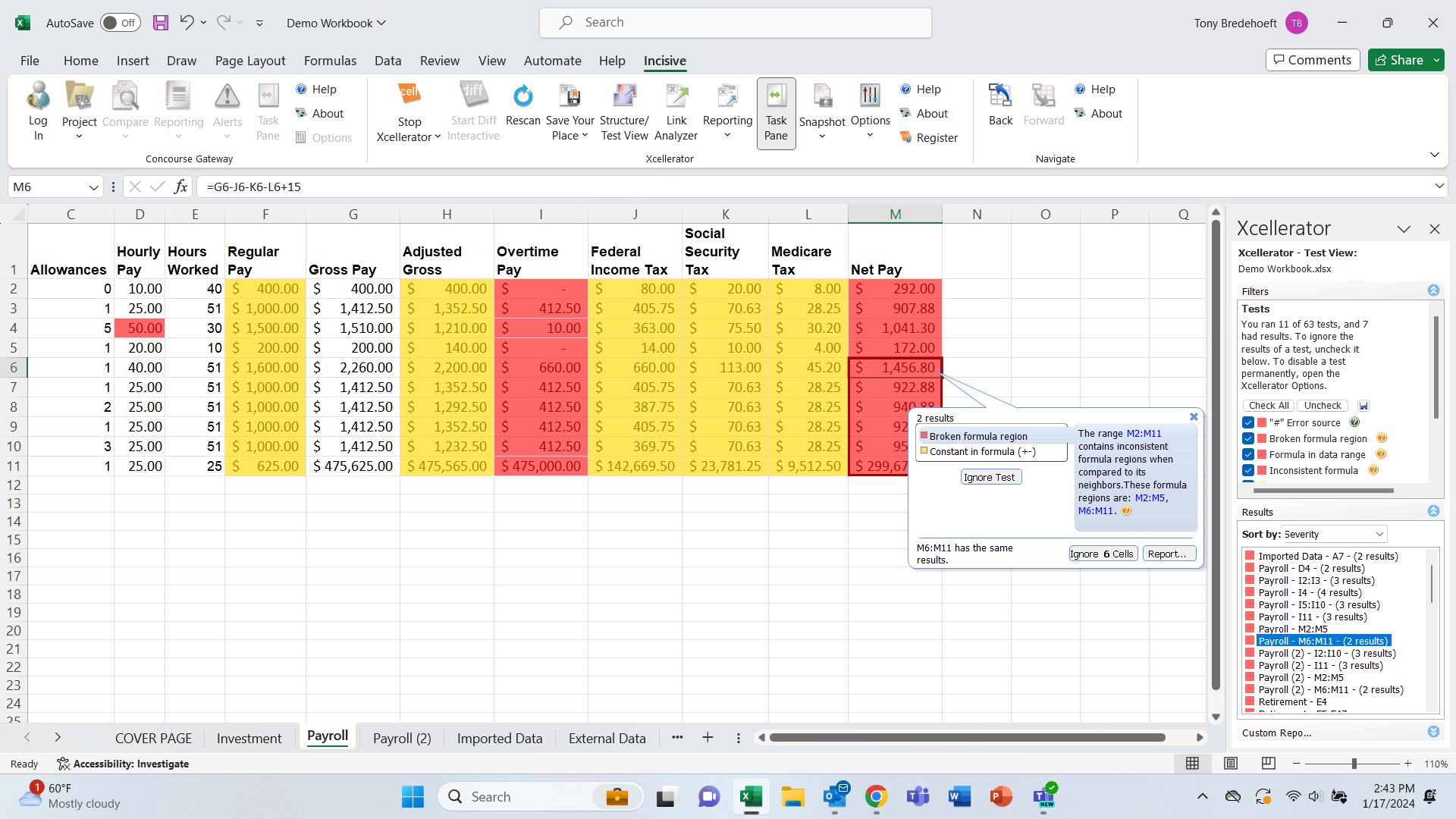
Powerful Error Detection. Xcellerator scans your spreadsheets for likely errors and displays them within your spreadsheet through an easy-to-use and straightforward interface and identifies errors wherever they are hidden with greater accuracy than any other available error detection tool.
- Forward references
- Hidden cells
- Formula Inconsistencies
- Omitted cells in a reference
- Numbers formatted as text
After applying 28 different tests to uncover errors and risks, Xcellerator generates a color heat map to display errors within the spreadsheet and identifies hidden errors with greater accuracy than any other solution. Each test flags cells in the workbook, noting potential errors that should be reviewed or examined. Xcellerator rates these errors by severity and likelihood so users can easily identify “hot spots” where errors are most critical.
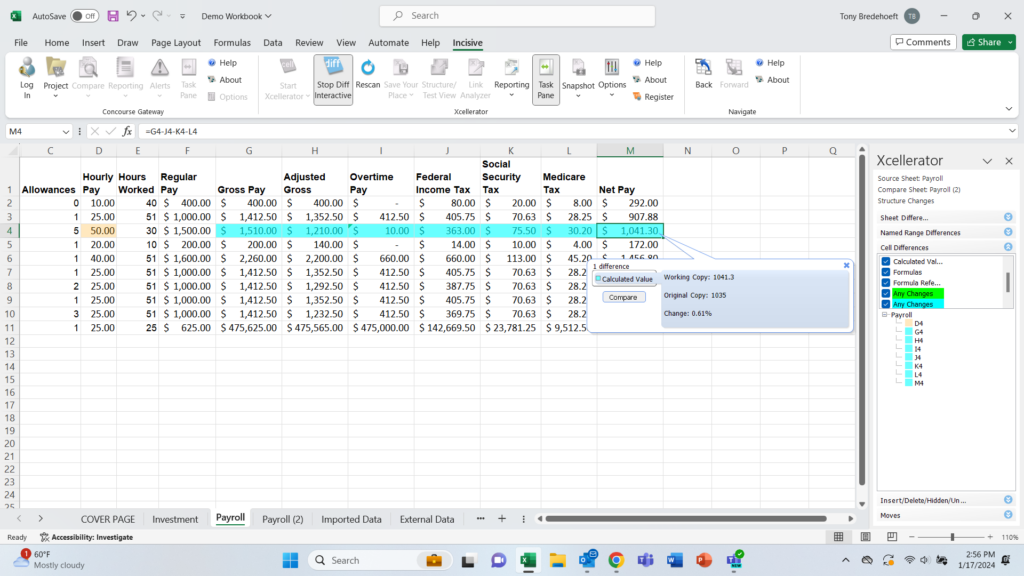
Comprehensive Investigation. Error checking formulas can be complicated, especially when the formula uses precedent and/or dependent cells. With a simple to use, zero-click interface, Xcellerator allows you to analyze formulas by displaying the relationship between formulas and cells. Xcellerator also visually depicts spreadsheets by logical regions, making it easier to understand how a spreadsheet is constructed and to verify the integrity of its contents. Furthermore, this visual display helps to put found errors into context of the spreadsheet structure.
Interactive Navigation. Save time by quickly navigating to the errors found, anywhere in your workbook. Errors are neatly listed with interactive navigation features that allow users to easily jump from error to error. These features allow users to comprehensively correct errors that are repeated across the spreadsheet.
Compliance Reporting. Fulfill audit and compliance reporting requirements. The Summary Report presents spreadsheet risk and potential liability metrics that may jeopardize an organization, such as complexity of formulas, volume of connections to other cells/worksheets/spreadsheets, volume of data and spreadsheet size. The Test Details Report lists the pertinent information from all 28 risk and error tests.
Learn more:
- Xcellerator video demonstrations
- Xcellerator user guide
- Minimum system requirements to run Xcellerator
![]() |
$1195 perpetual per-user license |
![]() |
Download Trial: 7-day, includes 6 tests |